# Size Guide

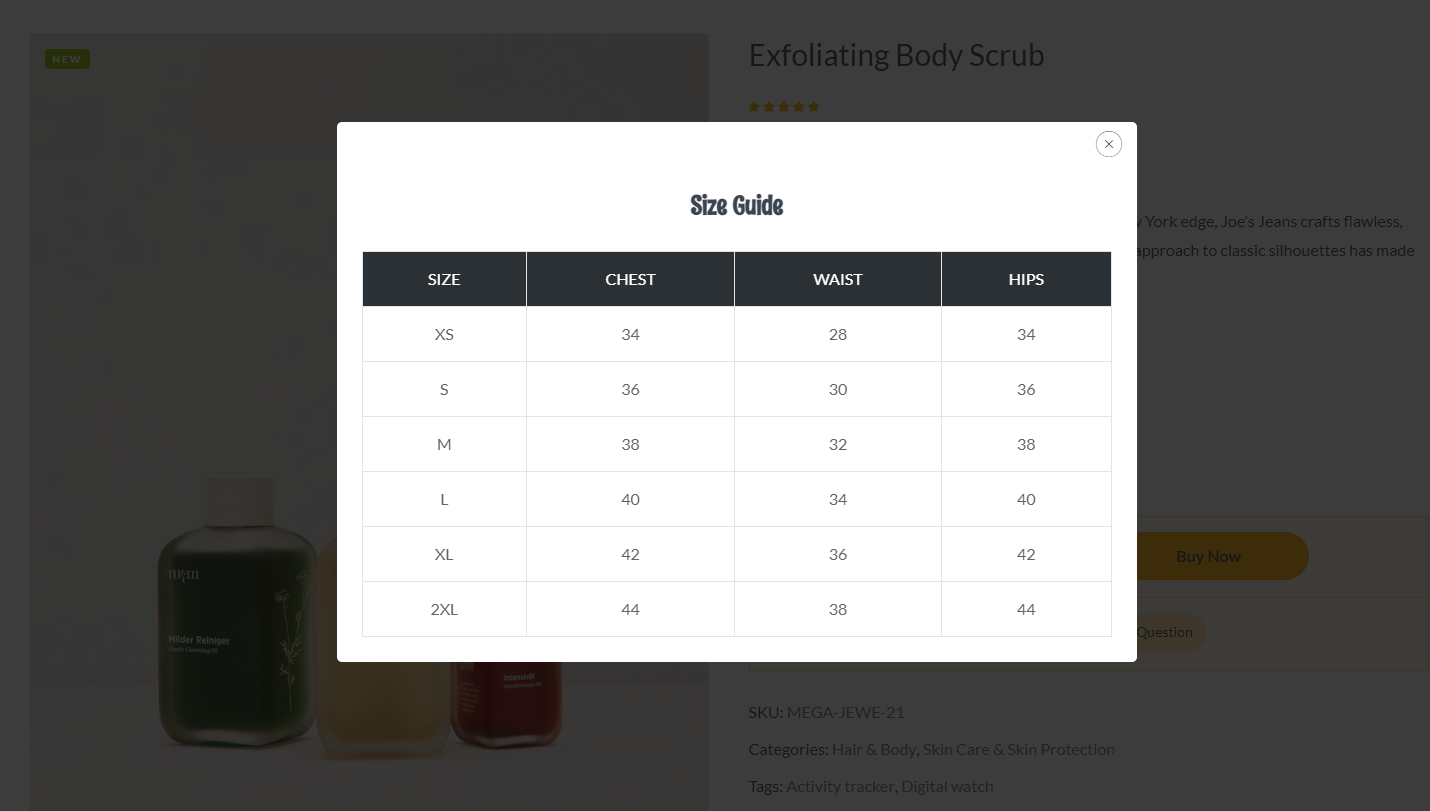
![](https://223098452-files.gitbook.io/~/files/v0/b/gitbook-x-prod.appspot.com/o/spaces%2F9XunEbX6doqYSi8XZWwn%2Fuploads%2FX2gzh0UUCybKmFwlMyhG%2FScreenshot_30.png?alt=media\&token=8cfd49ae-f397-4991-bc15-180fea956996)

<figure><img src="https://content.gitbook.com/content/9XunEbX6doqYSi8XZWwn/blobs/T3ZpC91xZjxIAW2EhaJV/Screenshot_19.png" alt=""><figcaption></figcaption></figure>

{% hint style="info" %}
**Step1: Enable editing for Thembay Blocks**
{% endhint %}

**Go to Elementor > Settings > General > Post Types = Thembay Blocks**

![](https://content.gitbook.com/content/9XunEbX6doqYSi8XZWwn/blobs/92fdETxDJ7bmipFudlY3/fana-enable-thembay-block.png)

{% hint style="info" %}
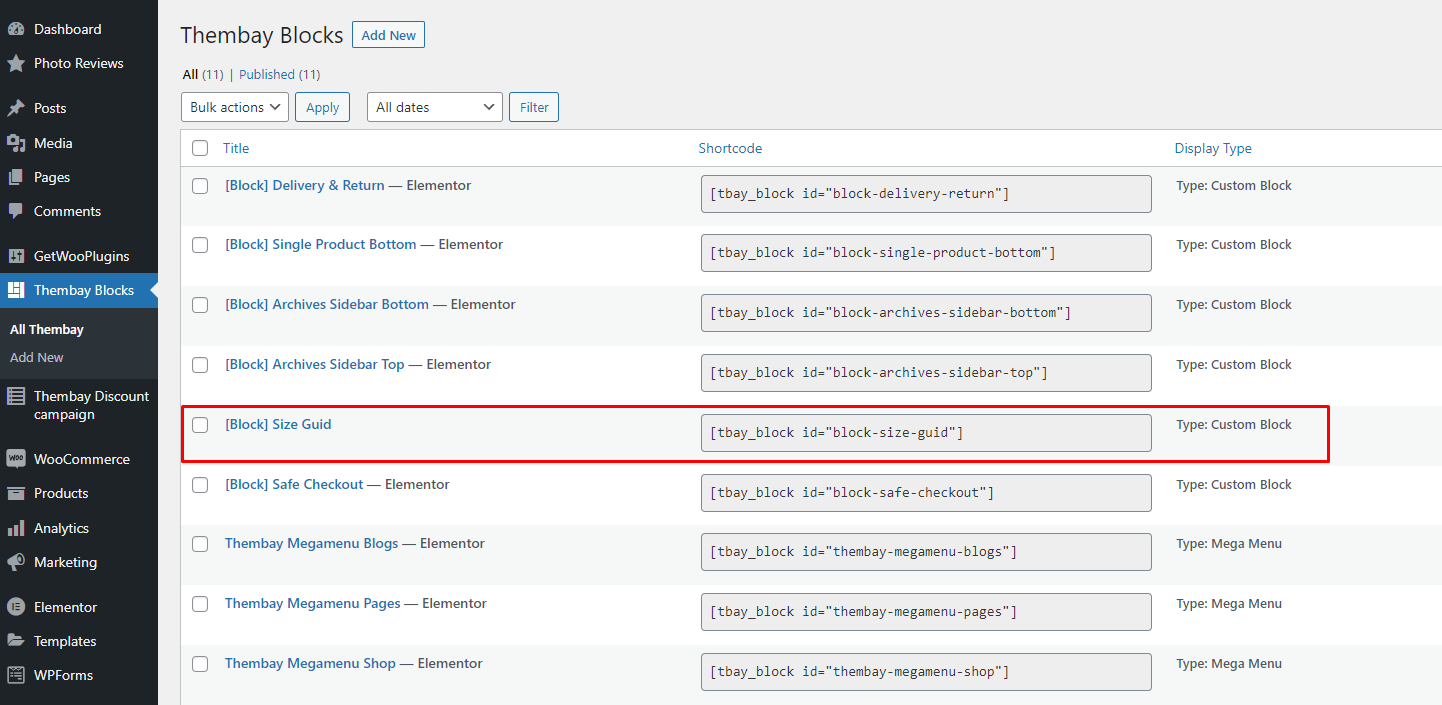
**Step 2: Go to Tbay Custom Post Manager and create \[Block] Size Guide**
{% endhint %}

<figure><img src="https://content.gitbook.com/content/9XunEbX6doqYSi8XZWwn/blobs/uQximunlKn2UD9LpsOgF/fana-size-guide-single-product-page-3.png" alt=""><figcaption></figcaption></figure>

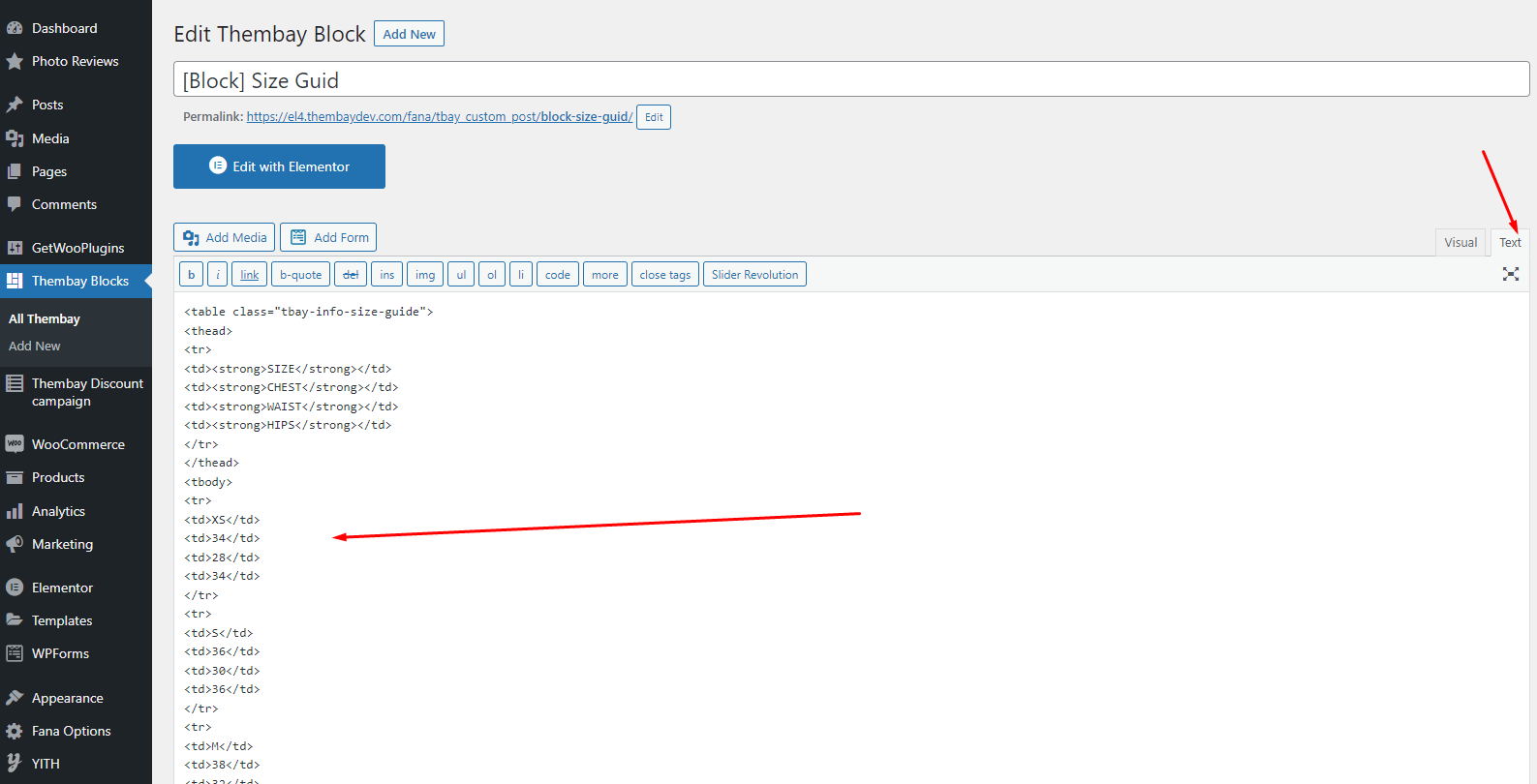
You can create pictures, text, or whatever you want. Here we give an example for your reference:

<figure><img src="https://content.gitbook.com/content/9XunEbX6doqYSi8XZWwn/blobs/eWWfFqQiCrMwZScOAjJf/fana-size-guide-single-product-page-4.png" alt=""><figcaption></figcaption></figure>

Code here:

```html
<table class="tbay-info-size-guide">
<thead>
<tr>
<td><strong>SIZE</strong></td>
<td><strong>CHEST</strong></td>
<td><strong>WAIST</strong></td>
<td><strong>HIPS</strong></td>
</tr>
</thead>
<tbody>
<tr>
<td>XS</td>
<td>34</td>
<td>28</td>
<td>34</td>
</tr>
<tr>
<td>S</td>
<td>36</td>
<td>30</td>
<td>36</td>
</tr>
<tr>
<td>M</td>
<td>38</td>
<td>32</td>
<td>38</td>
</tr>
<tr>
<td>L</td>
<td>40</td>
<td>34</td>
<td>40</td>
</tr>
<tr>
<td>XL</td>
<td>42</td>
<td>36</td>
<td>42</td>
</tr>
<tr>
<td>2XL</td>
<td>44</td>
<td>38</td>
<td>44</td>
</tr>
</tbody>
</table>
```

{% hint style="info" %}
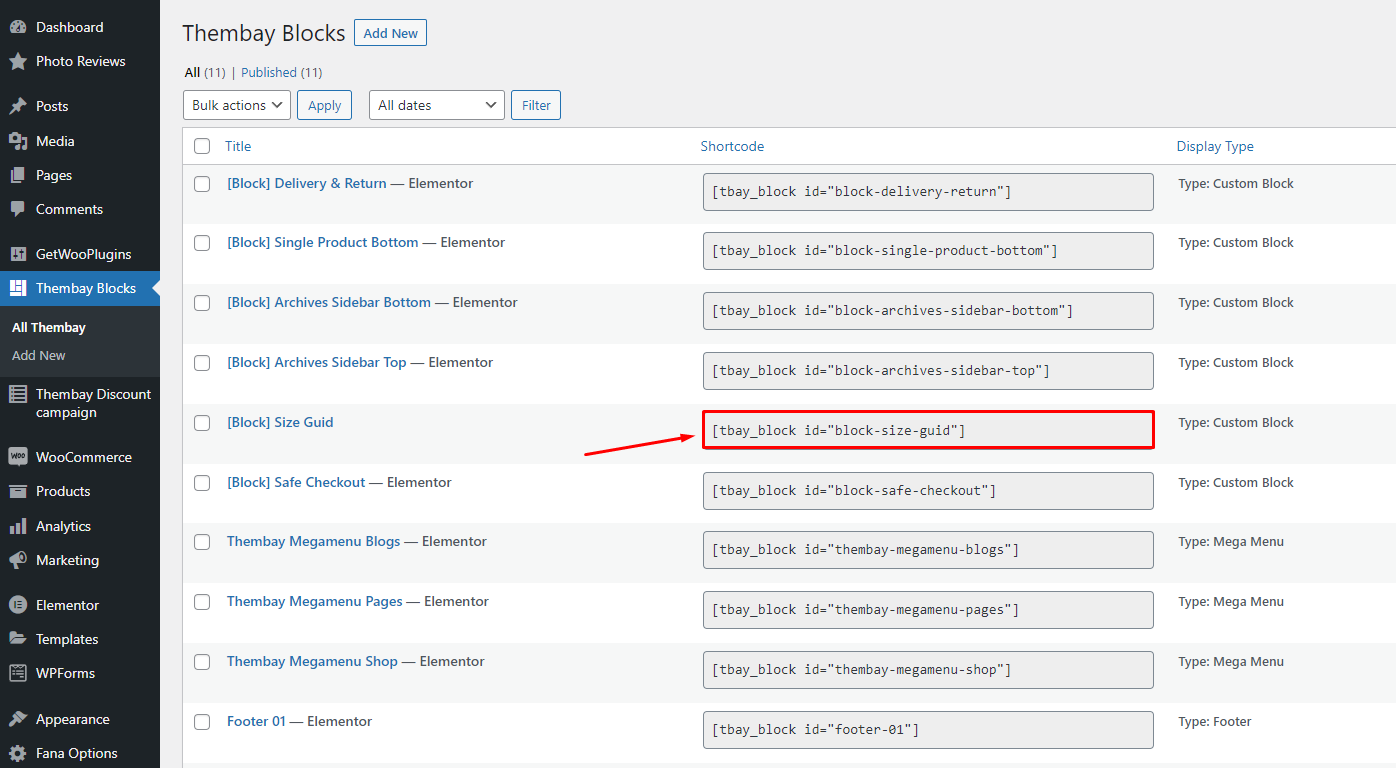
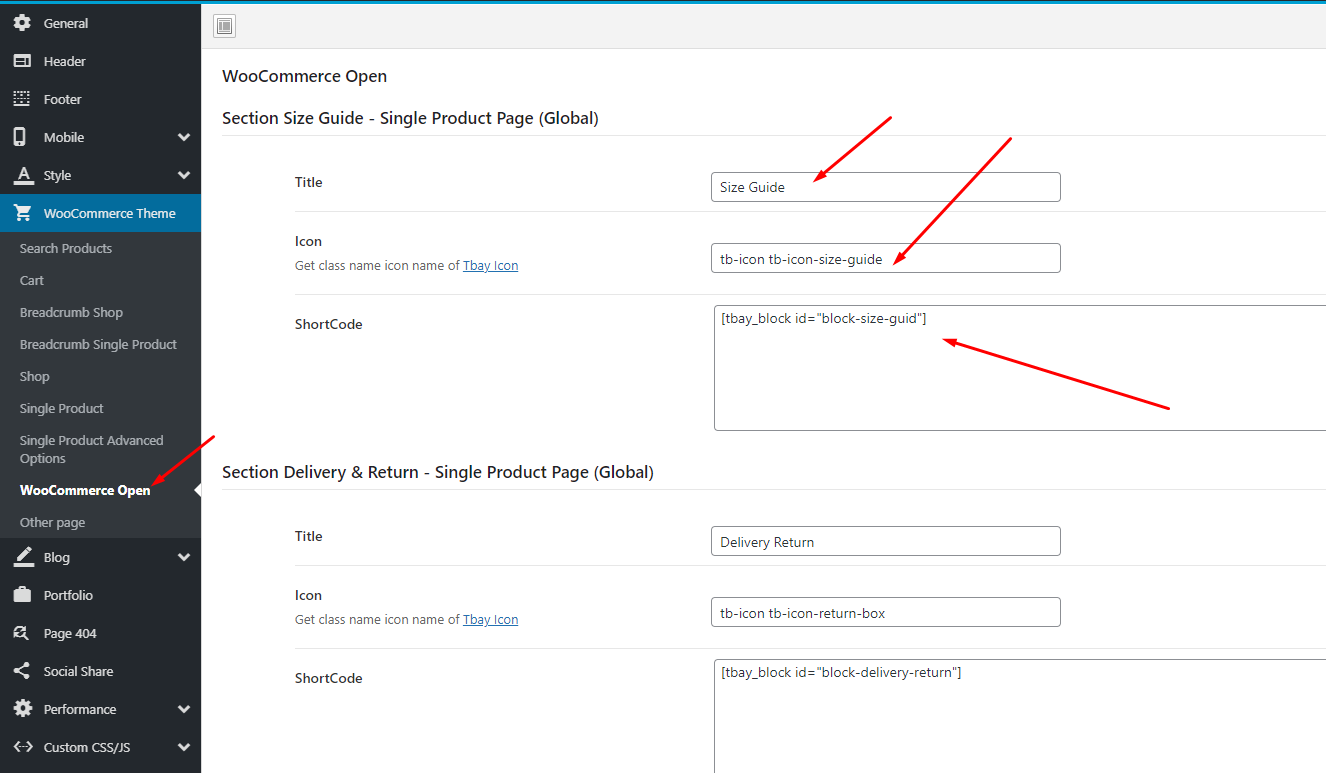
**Step 3: Copy Shortcode and paste in Theme Options: Vova Options > Woocommerce Theme > WooCommerce Open > Size Guide - Single Product Page (Global)**
{% endhint %}

<figure><img src="https://content.gitbook.com/content/9XunEbX6doqYSi8XZWwn/blobs/Eo0yCcmltTVNEuxMpNWE/fana-size-guide-single-product-page-5.png" alt=""><figcaption></figcaption></figure>

<figure><img src="https://content.gitbook.com/content/9XunEbX6doqYSi8XZWwn/blobs/xNaZW2cfqN1VguFQbQ80/Screenshot_2.png" alt=""><figcaption></figcaption></figure>

{% hint style="warning" %}
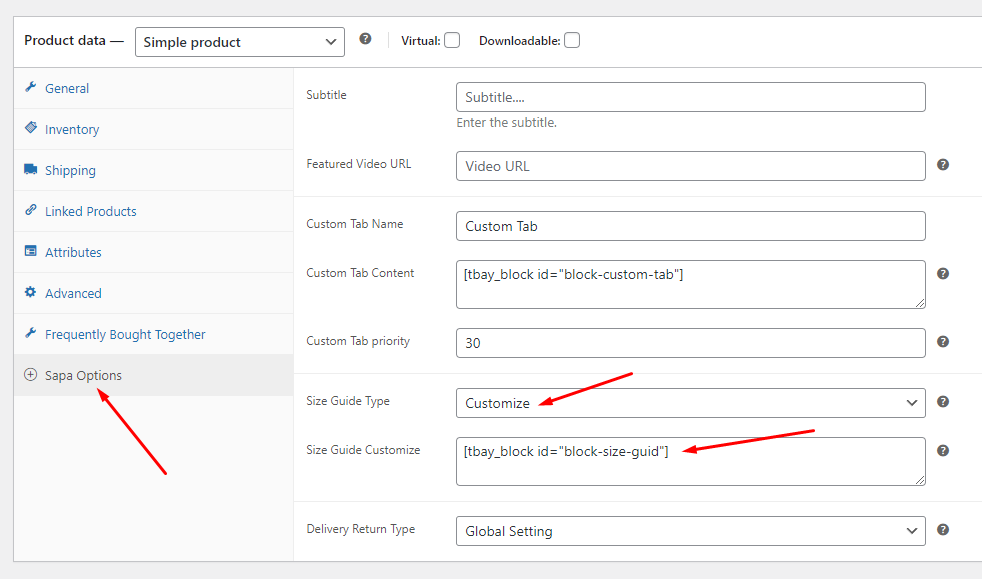
**To create a separate "Size Guide" for each product, you can configure it in the product details. You can create a custom post and use the shortcode as shown above or use custom text.**
{% endhint %}

<figure><img src="https://content.gitbook.com/content/9XunEbX6doqYSi8XZWwn/blobs/dNKRKa0eEVSDuL4hPPrM/sapa_75.png" alt=""><figcaption></figcaption></figure>

{% hint style="info" %}
**Video tutorial:**
{% endhint %}

{% embed url="<https://www.youtube.com/watch?v=qZwogtC0hPc>" %}